Notice: Function WP_Scripts::localize was called incorrectly. The
$l10n parameter must be an array. To pass arbitrary data to scripts, use the wp_add_inline_script() function instead. Please see Debugging in WordPress for more information. (This message was added in version 5.7.0.) in /home/brianmor/public_html/wp-includes/functions.php on line 6121Notice: Function WP_Scripts::localize was called incorrectly. The
$l10n parameter must be an array. To pass arbitrary data to scripts, use the wp_add_inline_script() function instead. Please see Debugging in WordPress for more information. (This message was added in version 5.7.0.) in /home/brianmor/public_html/wp-includes/functions.php on line 6121Notice: Function WP_Scripts::localize was called incorrectly. The
$l10n parameter must be an array. To pass arbitrary data to scripts, use the wp_add_inline_script() function instead. Please see Debugging in WordPress for more information. (This message was added in version 5.7.0.) in /home/brianmor/public_html/wp-includes/functions.php on line 6121
You want to add a chain link fence to your InfraWorks model but it is not a choice in Barriers nor City Furniture. Don’t worry, it’s easy. Just add a concrete barrier and change the style to Chain Fence Straight found under 3D Model/Bridge Components/ folder.
Chain Link Fence


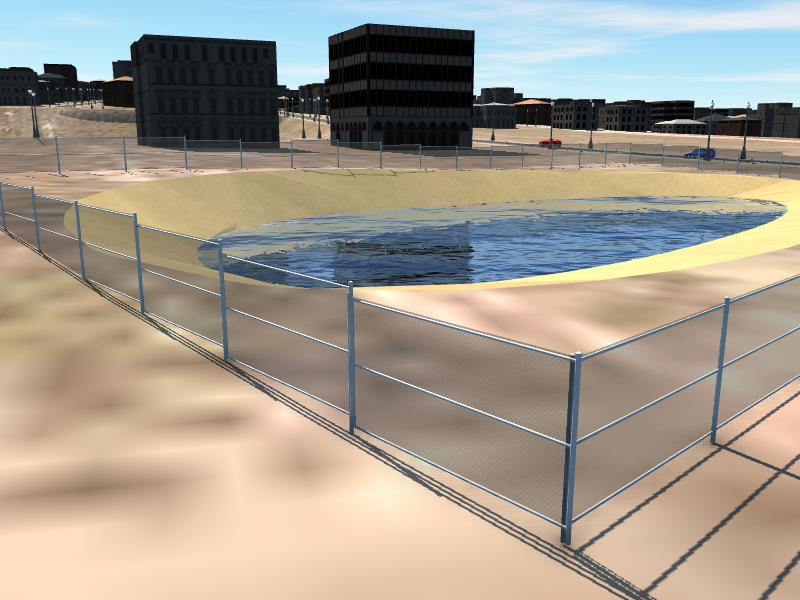
Adding a chain link fence to your InfraWorks Model.
Thank you this is great….